

EASY-SENSE | DISPLACEMENT SENSORS
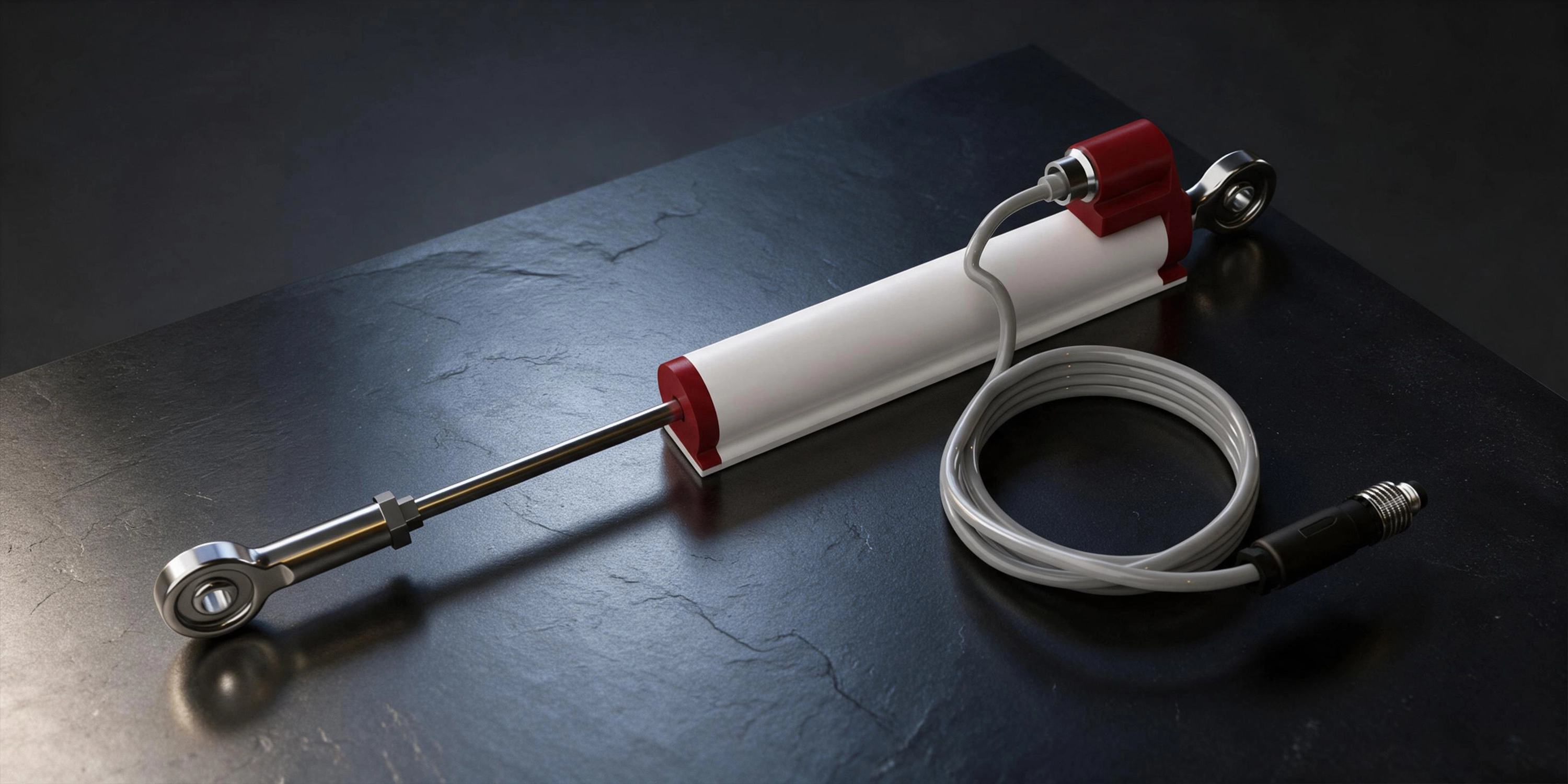
SAT-EASY-SENSE-DISP-BJ
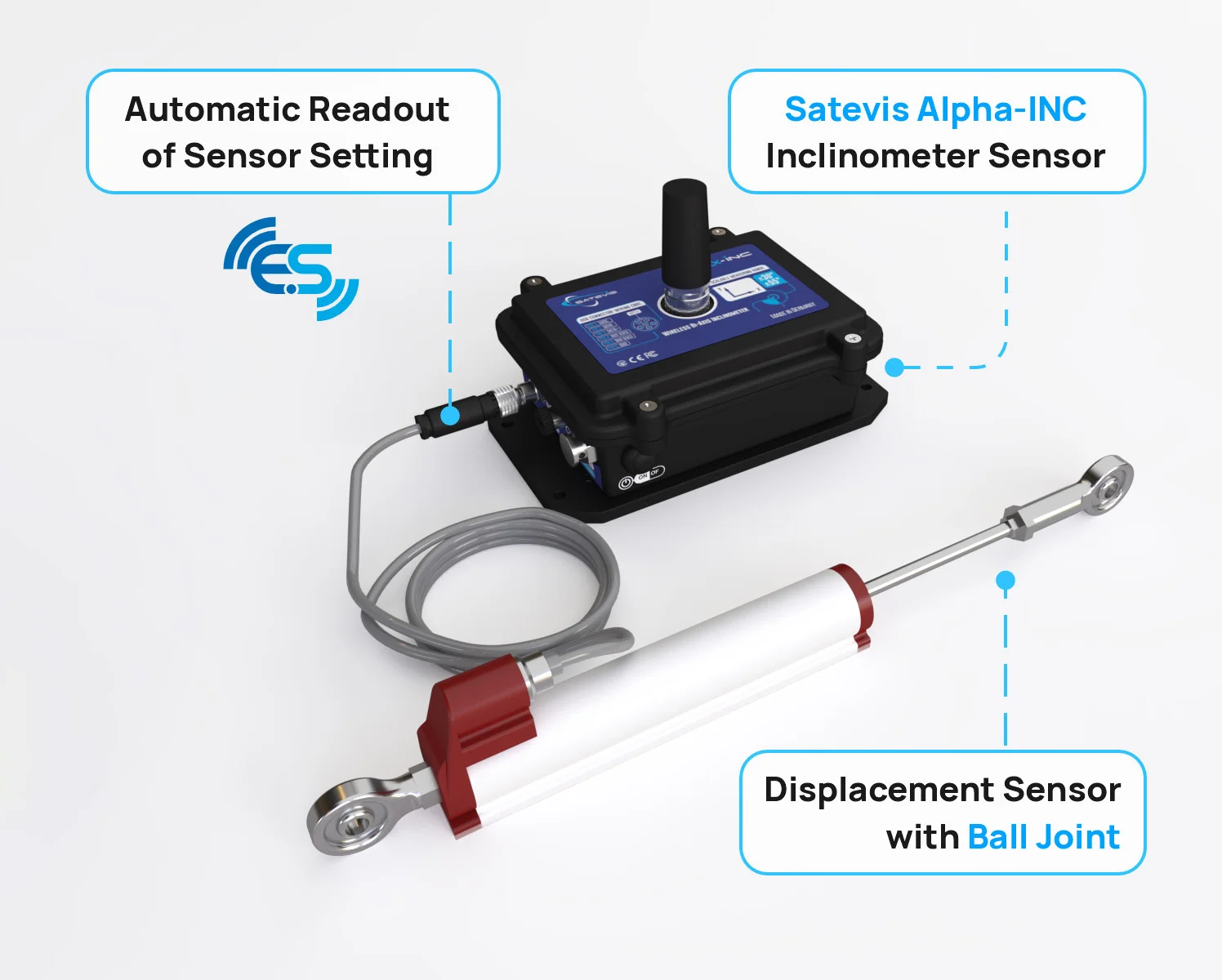
EASY-SENSE Displacement Sensor with Ball Joint. Features 10-400mm measurement stroke, <0.01mm repeatability, IP65 rating & 100M movements lifespan.
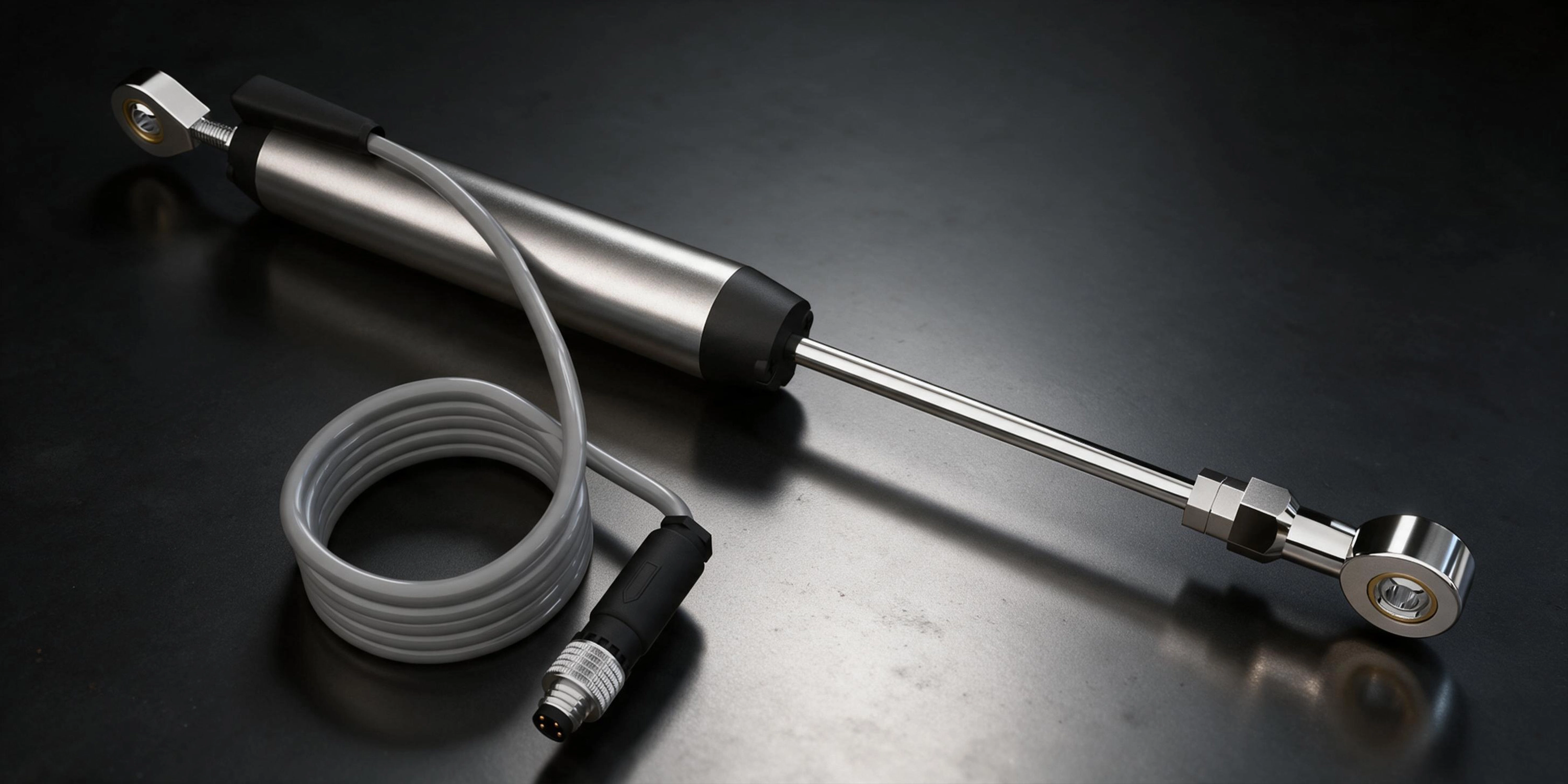
SAT-EASY-SENSE-DISP-BJ-02
EASY-SENSE Displacement Sensor with Ball Joint. Features 10-300mm measurement stroke, <0.01mm repeatability, IP65 rating & Easy-Sense memory.
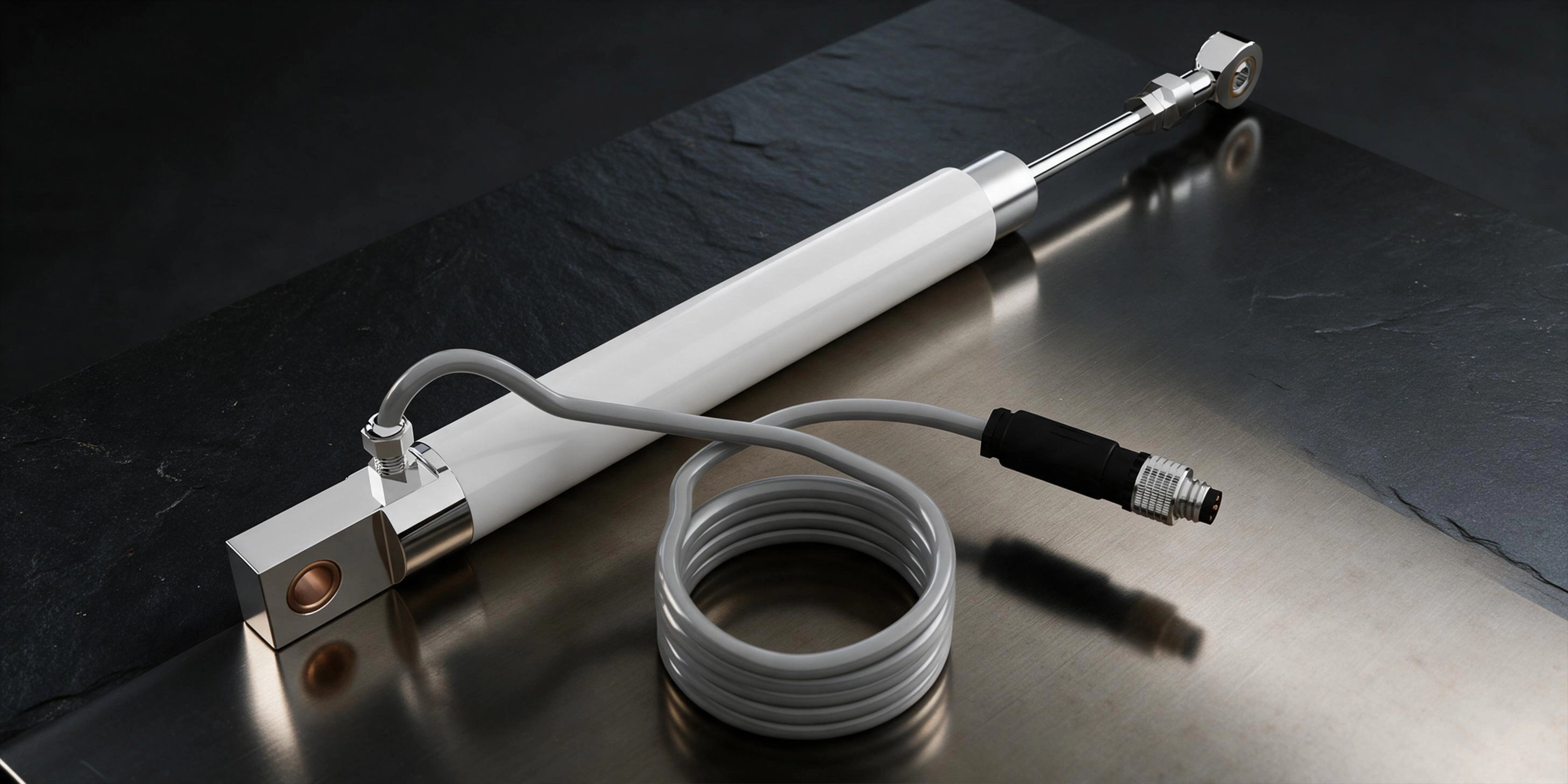
SAT-EASY-SENSE-DISP-BJ-03
EASY-SENSE Displacement Sensor with Ball Joint. Features 50-300mm stroke, IP66 protection, and robust M8 4-pin connector.
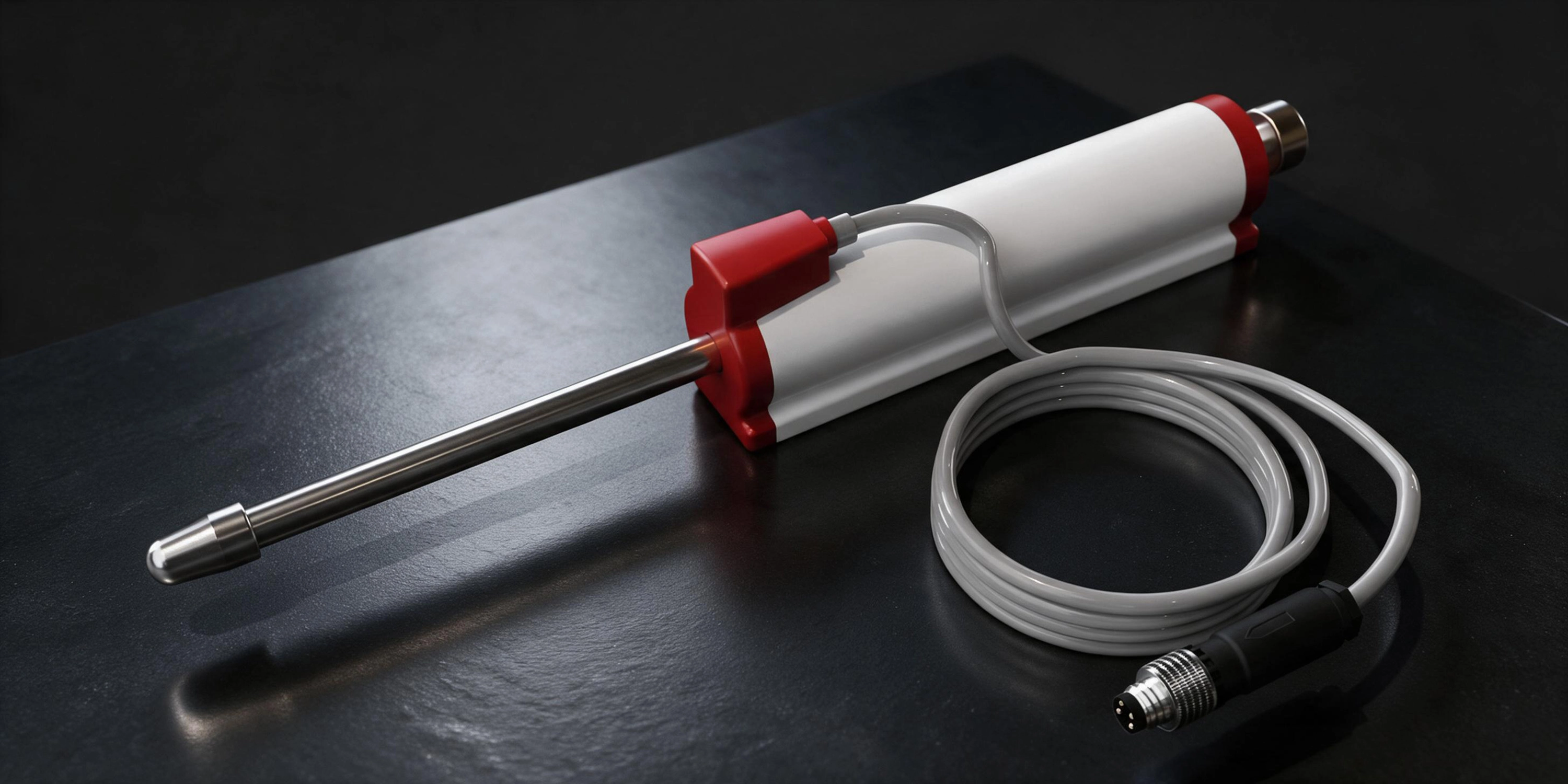
SAT-EASY-SENSE-DISP-SR
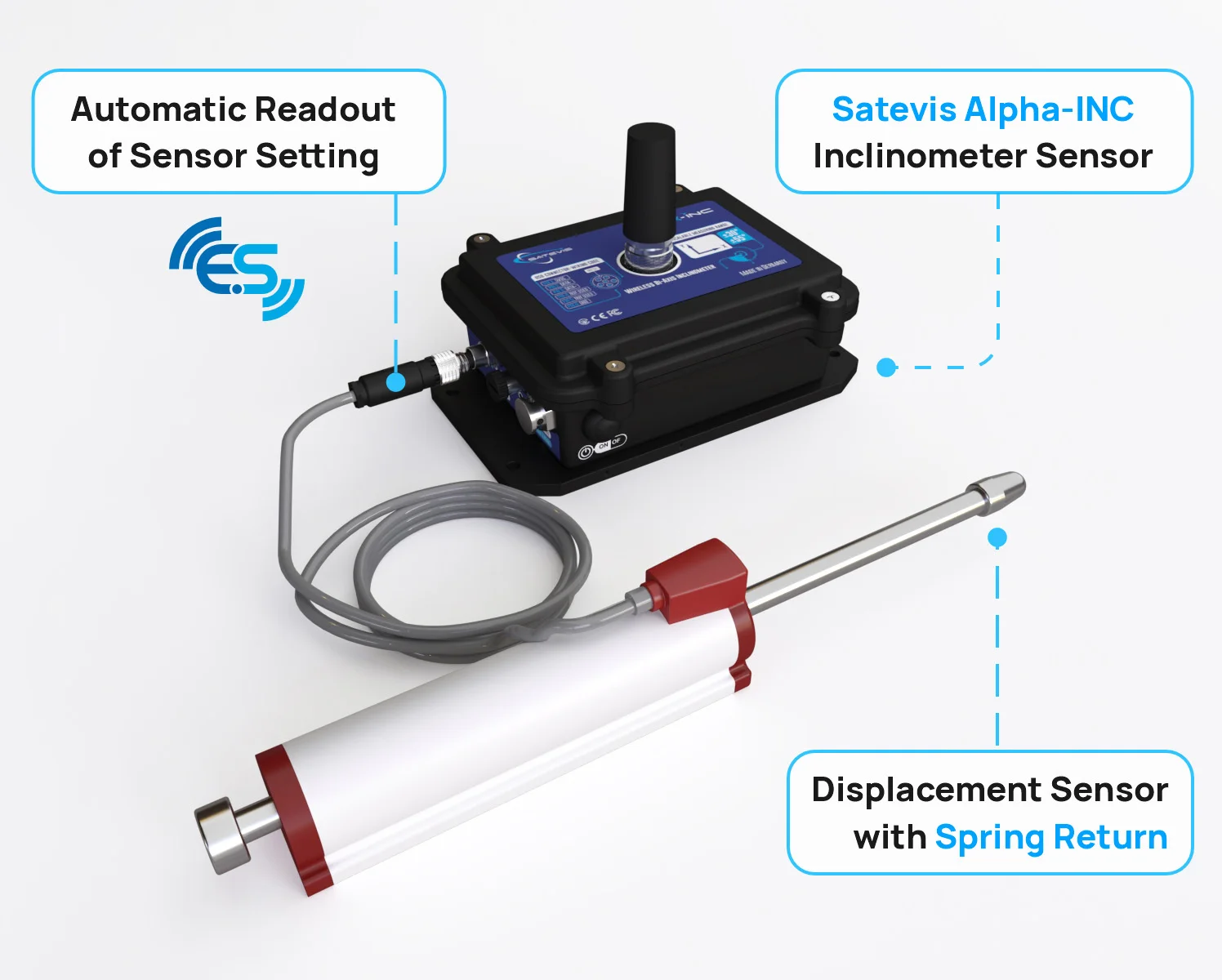
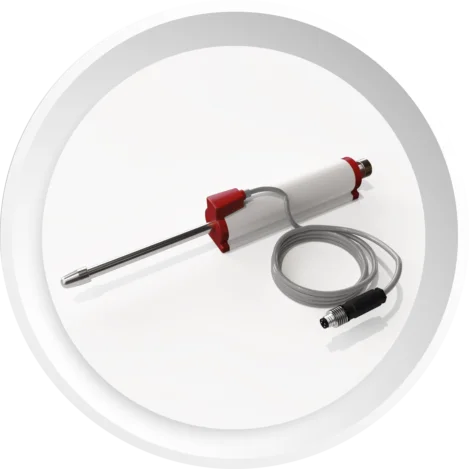
EASY-SENSE Displacement Sensor with Spring Return. Features 10mm to 100mm measurement strokes, IP66 protection, <0.01mm repeatability, and variable bracket mounting.
Video

High-Precision Displacement Sensor with Easy-Sense Function for Structural Health Monitoring

Designed specifically for the rigorous demands of civil engineering and infrastructure monitoring, this advanced displacement sensor seamlessly integrates with your Satevis Alpha Inc. device. It provides highly accurate, real-time monitoring of structural shifts, crack propagation, and joint movements on bridges, dams, and buildings. Equipped with intelligent Easy-Sense technology, this sensor ensures rapid field deployment and reliable data collection in critical environments.
Key Features & Specifications:
• Versatile Deployments:
Available in both Ball Joint and Spring Return configurations to suit specific structural geometries.
• Broad Measurement Range:
-Spring Return Version: 10 mm to 100 mm
-Ball Joint Version: 10 mm to 400 mm
• Exceptional Repeatability:
< 0.01 mm, delivering the micro-precision required for early-warning structural assessments.
• Easy-Sense Technology:
Enables effortless "plug-and-play" field operations with automatic readout and configuration of sensor settings, saving valuable time during site installation.
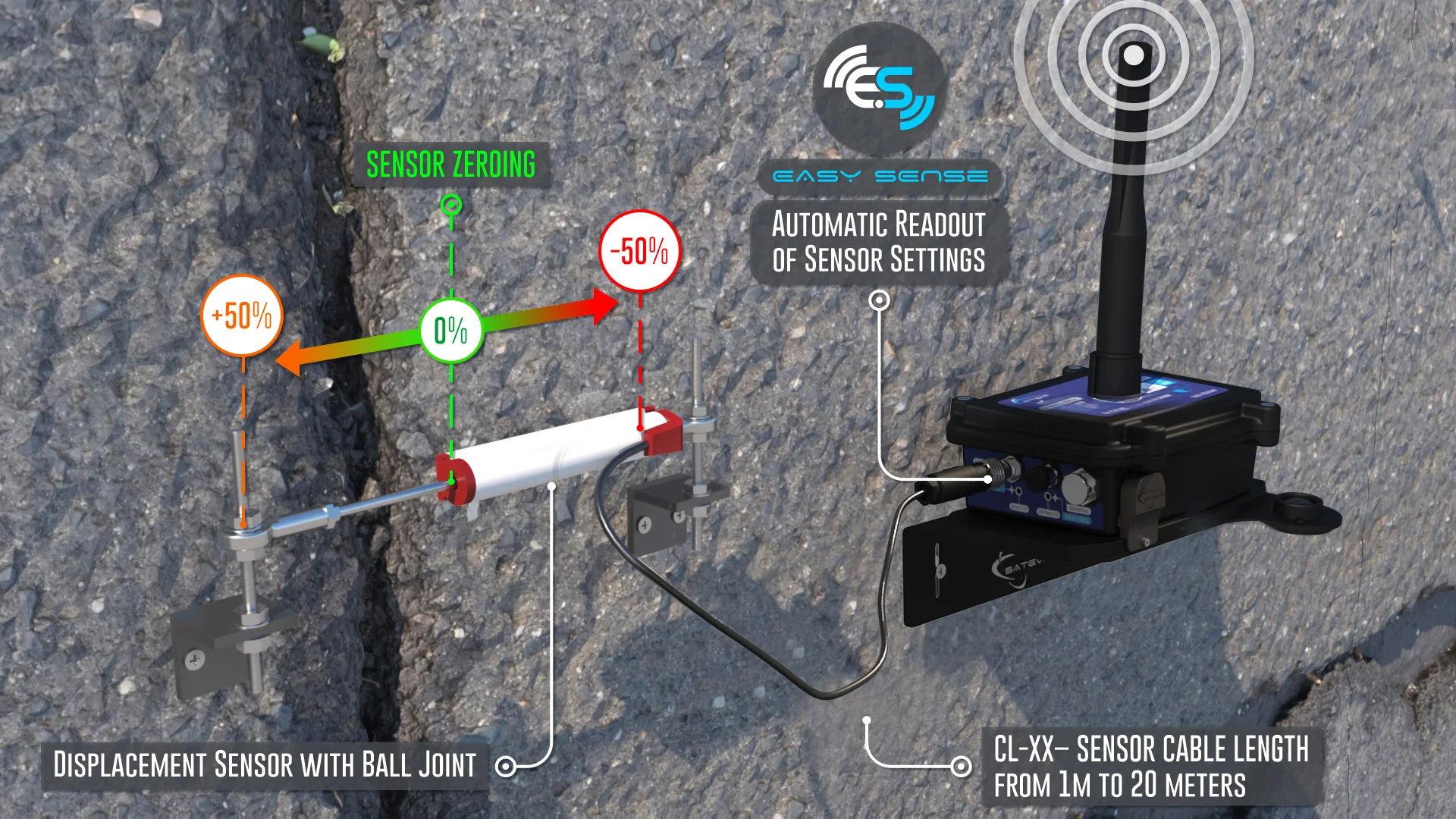
Satevis® Easy Sense Displacement Sensor with Ball Joint | Deployement
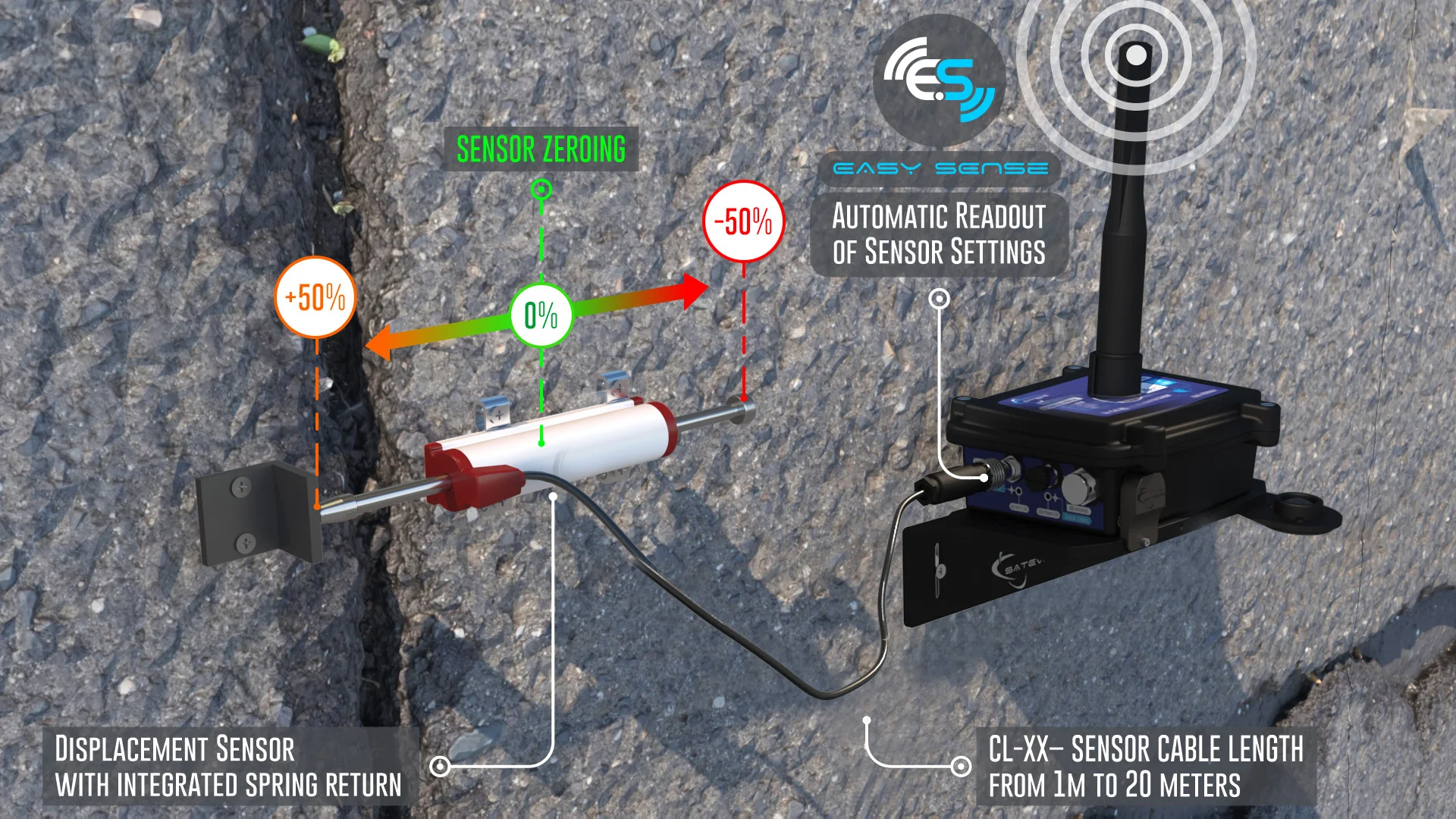
Satevis® Easy Sense Displacement Sensor with Spring Return | Deployement
What is Easy-Sense function ?

How often have you experienced false alarms due to incorrect sensor configuration or calibration?
Easy-Sense helps address this issue by automatically storing and displaying the sensor settings:
• Sensor Type and Measurement Stroke (ex: Potentiometer, Measurement stroke: 100mm).
• Sensor Calibration settings and date of calibration .
• Alarms Thresholds Values ( Three levels: Critical, Severe, Minor).
• Sensor Zero-offset and date of Sensor zero offset.
•Enhanced Traceability
The sensor’s calibration settings are securely stored in its internal Flash memory, allowing for easy re-calibration using the Satevis® Link software.
•Simplified Maintenance
Users can keep the displacement sensor on-site and easily swap the Satevis® Alpha-Inc in case of sensor redeployment. There’s no need to adjust the displacement sensor settings, such as alarm thresholds or zero-offset values.
•Increased flexibility
The sensor's zero-offset can be adjusted remotely via the Satevis® cloud application (or a third-party cloud application).
•Advanced Alarm Management
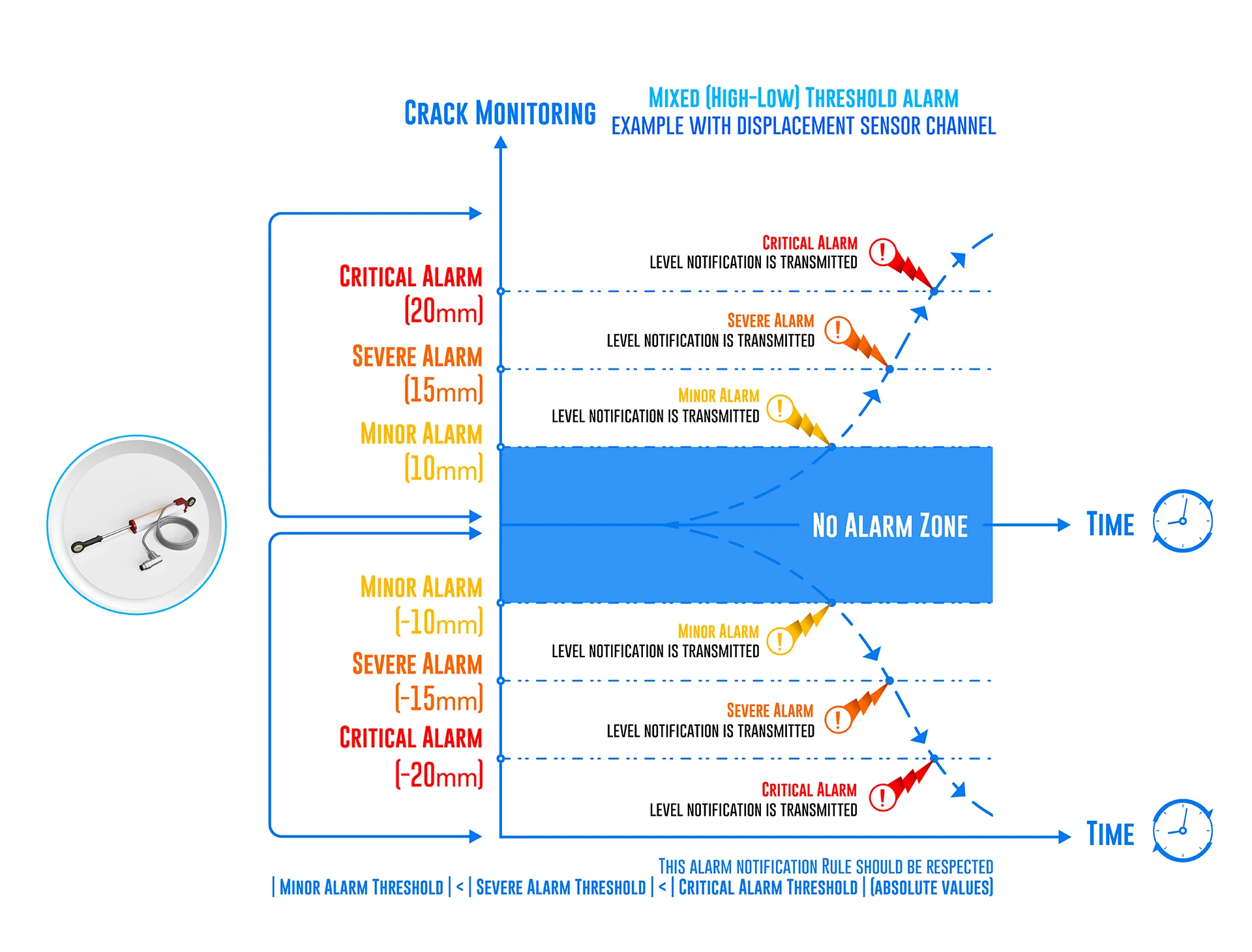
Three types of alarm thresholds are available:
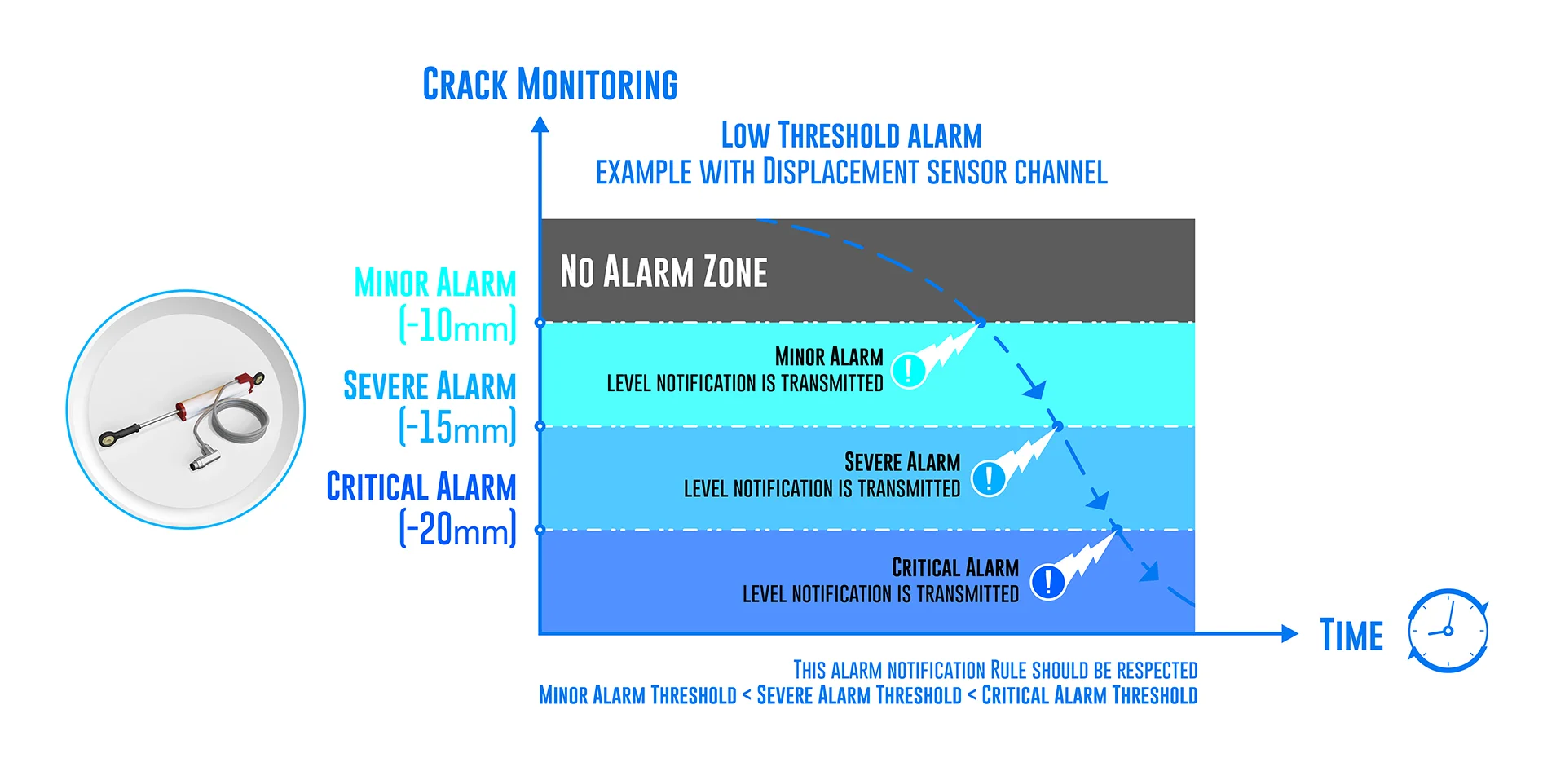
• Low Alarm Threshold: Triggers an alarm when a data measurement falls below the set threshold.
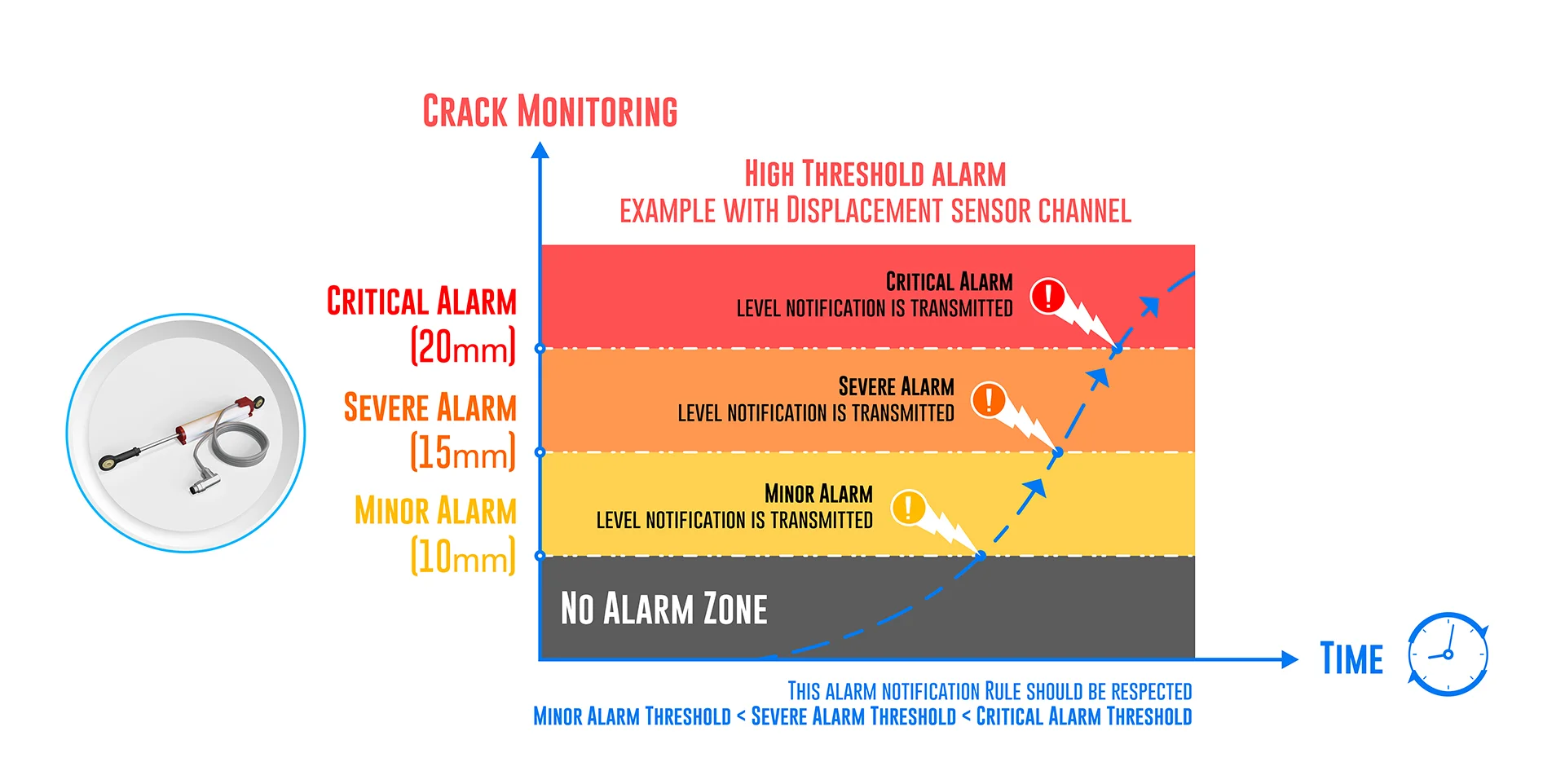
• High Alarm Threshold: Triggers an alarm when a data measurement rises above the set threshold.
• Mixed Alarm Threshold: Triggers an alarm when a data measurement changes in two opposite directions.
Additionally, three alarm severity levels are available, allowing users to direct notifications to different emails or activate a dry contact:
• Minor Level: The lowest level of alarm.
• Severe Level: Medium level of alarm notification.
• Critical Level: Highest level of alarm, requiring field intervention.
Sensor Zeroing
Sensor Zeroing can be done by holding a magnet on Sensor Zeroing Label or remotely from Satevis® Cloud Application (or Third-Party Cloud Software). |  | |
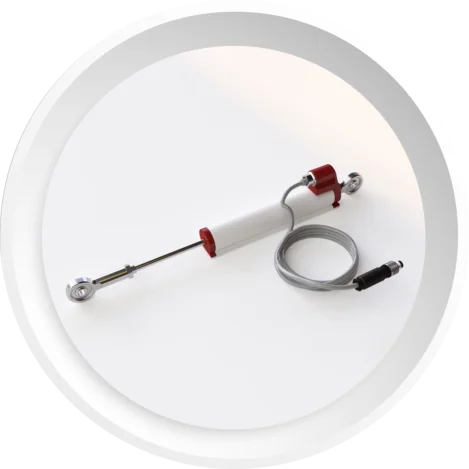
When to use a Ball Joint vs. a Spring Return Sensor in Structural Monitoring
In civil engineering, choosing between these two versions depends on the geometry of the structure, the expected direction of the movement, and how permanently you can alter the mounting surfaces.
1. Ball Joint Displacement Sensor (The Standard for SHM)
How it works: This version features rod-end bearings (ball joints) on both ends of the sensor. Both ends must be physically anchored—one to the stable reference side and the other across the fault or joint.When to use it:
•Monitoring Cracks & Expansion Joints:
This is the standard choice for tracking the widening of structural cracks in concrete buildings, expansion joints on bridge decks, or concrete block movements on dams.
•Multi-Directional Movement (Torsion/Shear):
Structures rarely move in a perfectly straight line. Bridges and dams experience thermal expansion, settling, and vibration that can cause slight pivoting or vertical shifting. The ball joints accommodate these angular misalignments, preventing the internal shaft of the sensor from bending or breaking.
•Long-Term/Permanent Installations:
Because both ends are securely bolted or anchored into the concrete/steel, the sensor is highly resistant to extreme weather, wind, and vibrations.
•Large Structural Shifts:
With a range of up to 400mm, it is necessary for monitoring large expansion joints on suspension bridges or significant geological shifts near dams.
2. Spring Return Displacement Sensor (For Single-Point Mounting)
How it works: This version features an internal spring that continuously pushes the probe tip outward against a target surface. The main body is anchored to a stable point, but the probe tip simply rests against the opposite surface without being bolted to it.When to use it:
•Restricted Mounting Options:
Use this when you can only drill into or attach a bracket to one side of the structure. For example, monitoring the deflection of a bridge girder where you can mount the sensor to a fixed pier, and simply let the probe tip rest against the moving girder.
•Heritage or Protected Buildings:
When monitoring historical structures, you may be prohibited from drilling anchors into specific delicate stones or facades. The spring return allows you to measure displacement while only mounting to a secondary, non-historical reference frame.
•Strictly Linear Compression/Expansion:
Best used in scenarios where the movement is purely pushing or pulling in a straight line relative to the sensor, without severe side-to-side shear forces that could cause the spring-loaded tip to slip off its target.
•Temporary Load Testing:
Ideal for short-term static load tests on bridge decks or floor slabs, where sensors need to be set up and taken down rapidly without leaving permanent anchors on both sides of the movement point.
Technical & Product FAQ
